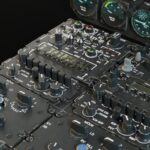
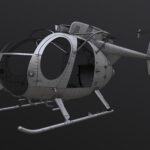
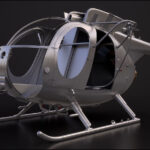
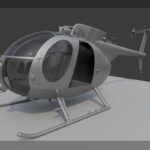
Starting Work on the Fuselage: ImageModeler and Camera Match in Blender
I’m gathering photos from various angles to use in ImageModeler. After many attempts, I’ve concluded that it’s better to use a minimal number of photographs. Currently, I’m using photos of a variant that isn’t exactly the one I need, so I’m working with what’s available online and selecting photos of identical helicopters to minimize issues in IM.

For instance, there was one problematic photo that prevented proper camera calibration. I deleted it, and everything went much smoother. Overall, my progress with ImageModeler is still quite slow – I spent half a day just to get some kind of result.

With each project, I’m starting to understand this software and the principles of image-based modeling a little better. The first 8 – 15 locators are key; they calibrate the cameras. If everything lines up more or less correctly, I can increase the number of locators and refine the calibration. If the initial locators are proving difficult, it’s worth trying either different photos or different points within the photos. The main thing here is to pick these first locators so the software ‘likes’ them and they have a reasonable position across all photos. If a locator is green (valid) but is floating off in space on one of the photos, then I either need to delete it, or the photo itself is problematic.
Once the initial locators are placed correctly, I place locators on all key points of the object. This is where ImageModeler helps me – as soon as I place a point on one photo, the program suggests where to place it on the others. It’s important to place locators in spots with vertical and horizontal lines, as well as along the object’s centerline.

Next, I export these points and cameras to Blender and build lines based on these points. Then I can rotate the whole scene so the vertical and horizontal lines are positioned correctly – ImageModeler exports the scene with an arbitrary rotation. Setting up the coordinate system within IM doesn’t yield good results and generally works poorly. So, it’s easier for me to rotate the whole scene inside Blender. That’s exactly why having horizontal and vertical lines for reference is so important.
Then these lines need additional alignment because ImageModeler has some margin of error, making the lines slightly skewed. I straighten them out and use them to set up new locators for Camera Match in Blender. To start, I use the same photos as in IM.

Then I add new photos. Once in Blender, I can see the problematic areas and have to figure out how to fix them.


When you work this closely with photo references, you start to understand the object’s construction much better and notice the nuances.
To be continued…